Get it
Get Porthole
Porthole isn't on the App Store, and can't be: it uses interfaces Apple keeps private. So you download the app file (an IPA), sign it with your own certificate and install it. It takes about 20 minutes the first time, and this page walks you through it.
Before you start. Porthole is early software and not every game runs yet. Take a minute to check the compatibility list for the games you care about.
- Download the fileAbout 1 minute. It is 217 MB.
- Sign it and install itThe longest part: about 15 minutes the first time. Pick your route below.
- Open PortholeAbout 2 minutes: the setup guide switches on full speed and gets Microsoft’s Windows components.
Stuck at any step? Ask in the Discord: the support channels are made for exactly this.
Download
Porthole 1.4.0 “All Hands on Deck”Latest
Discord inside Porthole (experimental, off until you turn it on), a rebuilt in-game menu, much easier controls with Universal default controls, interactive tutorials, controller, keyboard and mouse tests, Play on a TV on a cable, Steam games on an external drive, and a new engine. Every game shows “Not yet tested” until people have played it on this version.
- Version
- 1.4.0 (build 982)
- Needs
- iOS 18 or later
- The file is
- Unsigned: you sign it
- SHA-256
9a371733…801b
Latest release: 1.4.0 (build 982). Page updated 21 November 2026.
Check the download. Put the IPA and its .sha256 file in one folder and run shasum -a 256 -c Porthole-1.4.0-982.ipa.sha256; it should print OK. Then sign the app and its extensions with your own certificate (see below and the install guide). The source code for this release is in the same repository (tag v1.4.0).
You can also download every build, current and past, from inside Porthole under Settings ▸ Updates. Without a certificate added it saves the file for you to sign yourself.
Which way will you sign it?
A paid developer account or a certificate service
Recommended. The complete install: every feature works and nothing is given up.
What that means
A free Apple ID
Works with a lighter install: you run LocalDevVPN for the private link, memory-hungry games may run out of memory, and you sign again about once a week.
What you give up
Not sure yet?
Answer four short questions and the setup checker tells you what to do and what to expect. Nothing you pick leaves the page.
Open the setup checker
You need
- An iPhone or iPad with iOS 18 or later (tested on iOS 26 and 27). More memory is better.
- A way to sign and install apps yourself. A paid Apple Developer account or a third-party certificate service is recommended: both can provide every capability Porthole uses (Network Extension, Personal VPN, Increased Memory Limit, Extended Virtual Addressing and get-task-allow). A free Apple ID also works, with some features missing (see below).
- JIT switched on for the app. Porthole can do it itself once it has a pairing file, and on iOS 27 or later it can make that file on the device.
- Games you own: games from Steam, Epic Games, GOG, itch.io, Amazon Games or the EA app that you can sign in to, or game folders and installers you copy in from the Files app.
What Porthole can't run
Better to know before you spend an evening on it. These don't work, or mostly don't yet:
- Games with kernel-level anti-cheat. Windows' driver-level protections have nothing to run on here.
- Very large programs. The runtime copies a program into a fixed memory area, so executables of roughly 450 MB and up can't load.
- Games that need more memory than your device has. Swap helps some, not all.
- Games that need a launcher of their own. Epic's overlay and anti-cheat, GOG Galaxy's online features, and other publishers' launchers (such as Ubisoft's or Rockstar's) mostly don't run yet.
- Programs that use Windows features that aren't implemented yet. Some Unity games only work when started through Steam.
Not sure about a game? Look it up on the compatibility list or ask on the Discord.
Which certificate to use
The certificate and profile you sign with decide how well Porthole works, so this is worth getting right.
- Recommended: a paid Apple Developer account, or a third-party certificate service. Either can provide a profile with get-task-allow (that is what lets Porthole switch JIT on) and Network Extension (packet tunnel), Personal VPN, Increased Memory Limit and Extended Virtual Addressing, for the app and for each extension that needs one (the install guide lists which). That is the complete install, with nothing given up.
- A free Apple ID works, with a lighter install. It cannot carry the VPN (Network Extension) capability, so you run LocalDevVPN for the private link, and it cannot carry Increased Memory Limit, so memory-hungry games are more likely to run out of memory. Its signing also expires after about a week, so you sign again weekly. Porthole's Settings tell you exactly what your install is missing and what that costs.
- Keep the .p12 and its password. With them Porthole signs every new version of itself on your device; without them you can still download new versions as a file and sign them yourself.
- Choose who signs with care. A third-party service can revoke its certificate, and it is the one signing an app that holds your store sign-ins and your games, so pick one you trust. Keep a copy of the IPA you installed.
Apple changes its account limits from time to time. Check Apple's current developer documentation for the exact numbers.
Install
- Download the IPA and check the checksum.
- Sign the app and its four extensions with your certificate and profiles, keeping the bundle ids in step (
your.id, your.id.jithelper, your.id.tunnel, your.id.activity, your.id.MemoryHost), and install it. Short on App IDs? Each extension can be left out; the INSTALL guide says what that costs.
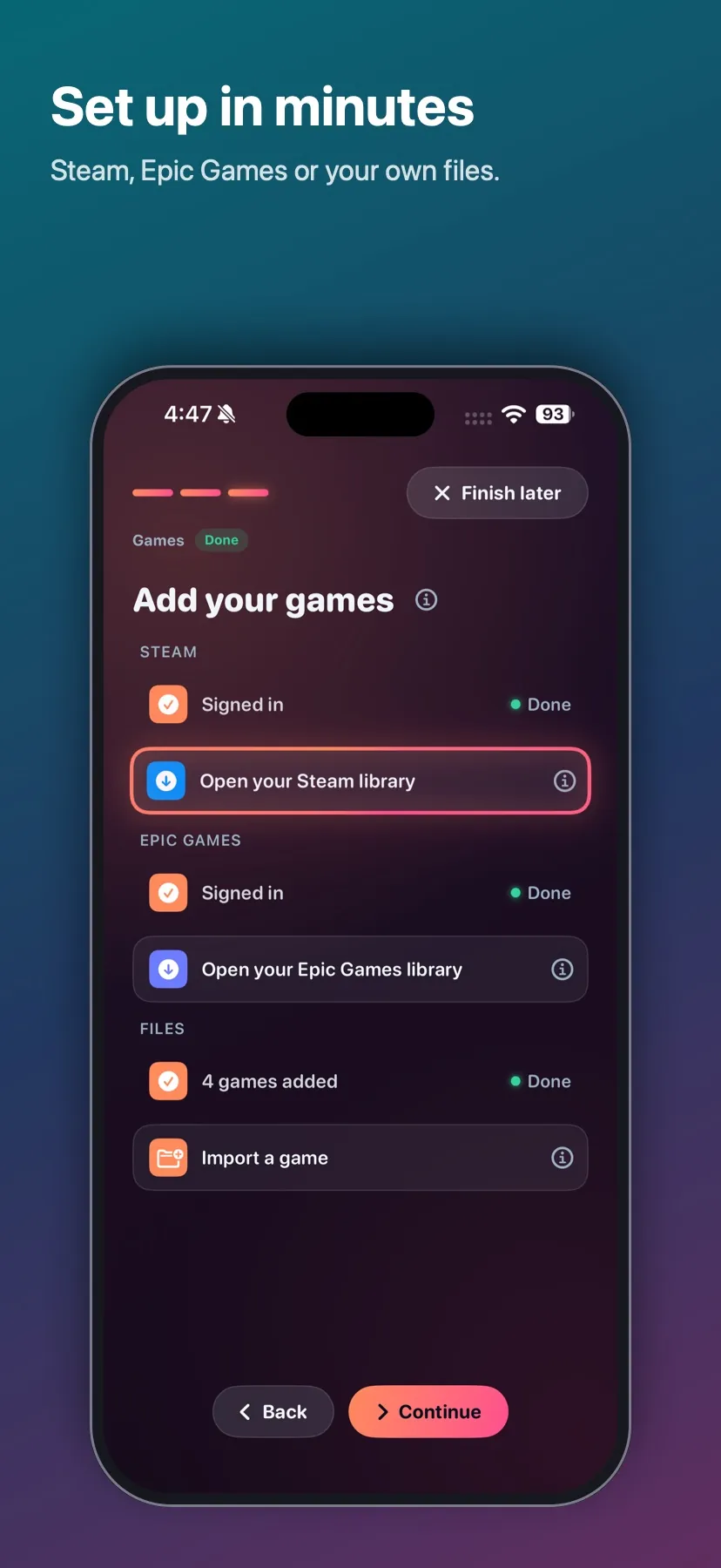
- Open Porthole and follow the setup guide: full speed (JIT and the private link), Microsoft's Windows components, and your games.
The full guide, including the exact requirements for each part, is in the INSTALL document in the source repository.
Is it legal and safe?
Porthole contains no games and doesn't get around any copy protection: Steam games start through Valve's own client files, which check your licence as they do on a PC. Microsoft's runtime is downloaded from Microsoft. Porthole is free software under the GPL, and its source code is public. It is not affiliated with Valve, Epic Games, GOG, itch.io, Microsoft or Apple. Privacy
 Porthole
Get it